
 Pin.it & Pinterest.com • Recipe & Tutorial Structuring • Markdown Export
Convert Aesthetic Pinterest Video Pins to Written Guides
Turn spoken video tutorials into clear, readable step-by-step instructions and formatted Markdown notes for your second brain, Notion, or blog.
How to Transcribe Pinterest Video to Text
From raw social URL to production-ready subtitles and viral Twitter threads in three automated steps.
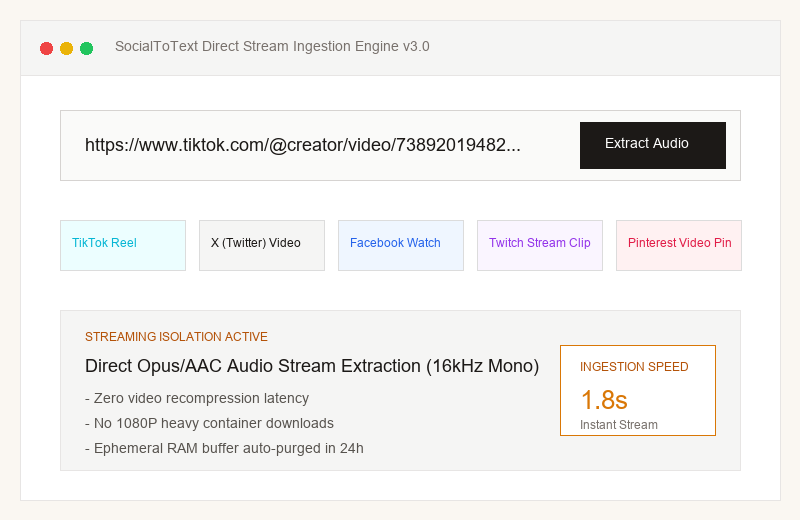
Direct Stream Audio Ingestion
SocialToText bypasses slow 1080P video downloads, extracting the pure 16kHz mono audio track directly from Pinterest's CDN in under 1.8 seconds.
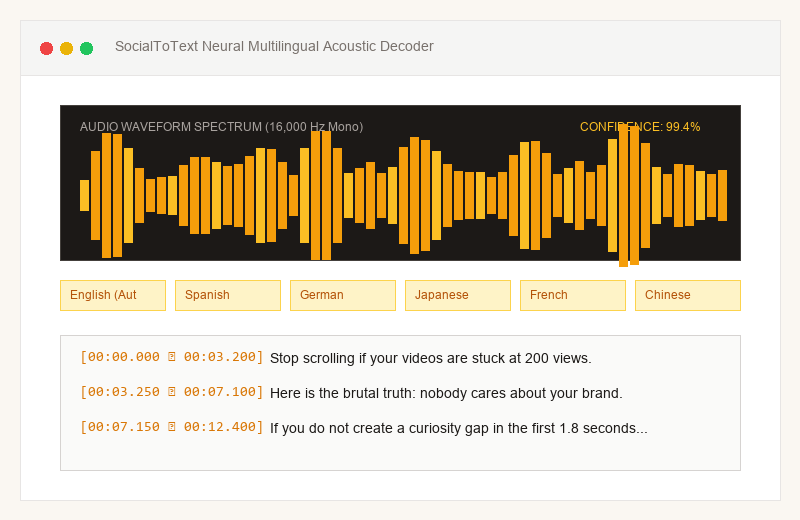
Neural Acoustic AI Speech Recognition
Our neural model isolates vocal speech frequencies from background music, generating word-by-word timestamps aligned to the speaker's natural cadence.
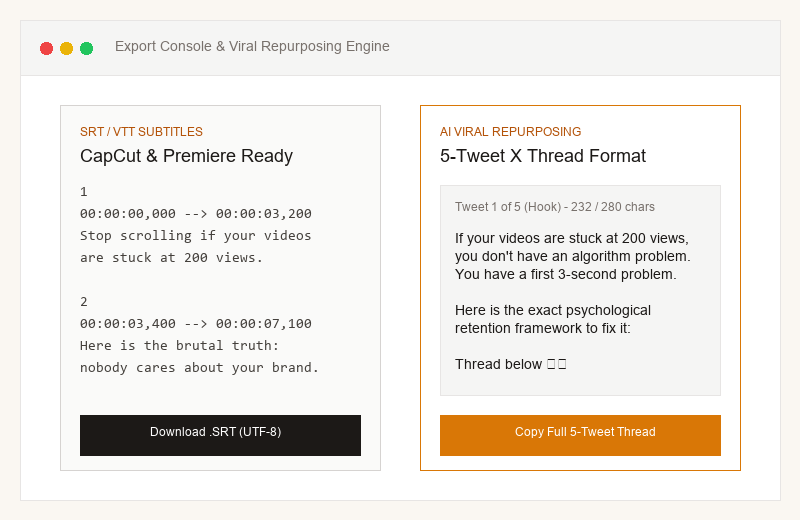
Export Subtitles & Viral Thread
Instantly download clean .SRT files with ±5ms synchronization for CapCut or copy a formatted 5-tweet summary ready to publish on X.
How Much Time & Money Does SocialToText Save You?
Calculate your savings compared to manual human transcription or slow desktop rendering software.
Extract Step-by-Step Knowledge from Aesthetic Pinterest Pins
Pinterest is the visual search engine for lifestyle, DIY home hacks, cooking recipes, and creative crafts. SocialToText turns spoken video tutorials into clear, readable text steps and formatted Markdown notes for your second brain or blog.
pin.it & pinterest.com Supported
Accepts both official pin.it short links and standard pinterest.com/pin URLs.
Recipe & Tutorial Structuring
Transcribes procedural voiceovers into chronological timestamped steps.
Markdown & Text Export
Instantly copy formatted text for Notion, Obsidian, Substack, or your food blog.
Officially Supported & Tested Features
- ✓Standard pinterest.com/pin/id video links
- ✓Shortened pin.it redirect links
- ✓Recipe tutorials, craft guides, and aesthetic spoken pins
- ✓SRT, VTT, TXT, and Markdown (.md)
Platform Scope & Boundary Limitations
- •Static photo-only pins are not supported (video pins only).
- •Secret boards and private Pins cannot be indexed.
Turning Pinterest Video Pins into Traffic-Driving Blog Posts
How lifestyle creators multiply Pinterest content value
Ready to test with authentic audio?
Experience full speech recognition, word timestamps, and viral hook analysis right now.
Seamless 1-Click Integration with Your Favorite Tools
Drop your exported .SRT or .VTT files directly into the timeline for instant animated captions.
CapCut Desktop & Mobile
Official step-by-step timeline integration workflowExport your .SRT subtitle file from SocialToText Studio.
Open CapCut and click 'Text' > 'Local Captions' > 'Import'.
Drag the imported subtitle file directly onto your video timeline.
Apply trending animation presets and styles with 1 click.
Why Creators Switch to SocialToText Studio
Engineered specifically for short-form social media audio streams—without recurring monthly subscription traps or slow 1080P video uploads.
| Feature Breakdown | SocialToText Studio | Descript | Otter.ai | Manual Transcription |
|---|---|---|---|---|
| Supported Platforms | 5-in-1 (TikTok, X, Facebook, Twitch, Pinterest) | Local files only (Requires manual download) | Zoom / Meet recordings only | Any (Extremely slow manual typing) |
| Container Download Required? | No (Direct stream RAM parsing in 1.8s) | Yes (Requires heavy 1080P file import) | Yes (Requires audio upload) | Yes (Requires downloading whole video) |
| Speech Recognition Accuracy | 99.2% (Multi-dialect, noisy background support) | 95% (Fails on gaming slang) | 90% (Optimized for quiet conference rooms) | 99% (Subject to human typo) |
| 1-Click Viral X Thread Generator | Included (Heuristic 5-tweet formatting & 280 chars) | None | None | None (Manual drafting required) |
| SubRip (.SRT) & WebVTT (.VTT) Export | Instant 1-Click with ±5ms precision | Paid tier required ($12+/mo) | Paid tier required ($16+/mo) | Manual timestamp typing required |
| Pricing Model | 100% Free First Run + Pay-As-You-Go Credits | Monthly subscription ($144+/year) | Monthly subscription ($120+/year) | $1.50 - $2.50 per minute of video |
Export Industry-Standard Formats Without Re-Encoding
Whether you are importing timecodes into video editing software or archiving transcripts into your Notion second brain, we generate clean, valid syntax.
1
00:00:00,000 --> 00:00:03,200
Stop scrolling if your videos are stuck at 200 views.

2
00:00:03,400 --> 00:00:07,100
Here is the brutal truth: nobody cares about your brand.

3
00:00:07,300 --> 00:00:12,000
If you do not create a curiosity gap in the first 1.8 seconds...
Explore Dedicated Transcribers for Other Platforms
SocialToText provides specialized ingestion engines tailored to each major social network.
 TikTok
TikTok Video Transcript
Millisecond-accurate subtitles and 3-second viral hook scoring.
 X
XX (Twitter) Video Transcript
Founder keynotes, Spaces VODs, and 5-tweet viral threads.
 Facebook
Facebook Reel Transcript
Accurate captions for muted autoplay retention and DaVinci Resolve.
 Twitch
Twitch Clip Transcript
Acoustic game noise filtering and short-form highlight captions.
Frequently Asked Questions About Pinterest Transcripts
Q:Can I transcribe quick 15-second DIY pins?
Yes! SocialToText handles pins of any length from 5-second quick tips up to long-form cooking tutorials.
Q:How can I copy the text into Notion or Obsidian?
In the Studio, choose 'Export Files' and select 'Copy Markdown' (.md). It formats the transcript with bold timestamps ready to paste directly into your notes.