
 SubRip (.SRT) Specialist • Zero Video Re-encoding
Convert Any TikTok Video Directly into an SRT Subtitle File
No need to download bloated 1080P MP4 files. SocialToText pulls the audio track straight from the stream and delivers an SRT file in seconds.
How to Transcribe TikTok Video to Text
From raw social URL to production-ready subtitles and viral Twitter threads in three automated steps.
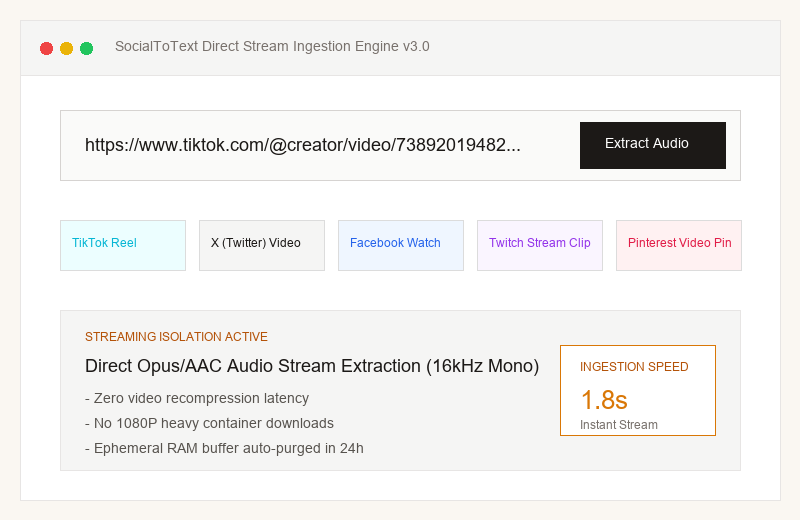
1. Direct Stream Audio Ingestion
Submit a public TikTok link that you have permission to process. The service may download temporary media files.
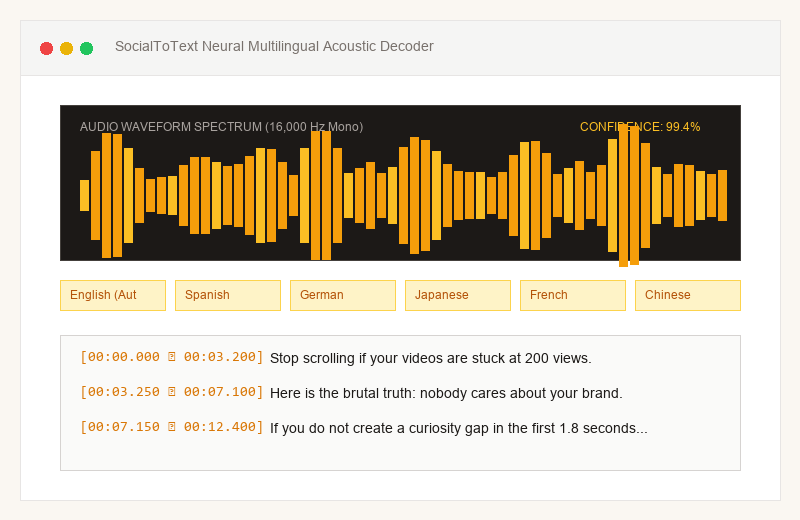
2. Whisper Speech Recognition
Speech recognition generates text and segment timestamps. Noise, accents and overlapping speakers may affect accuracy.
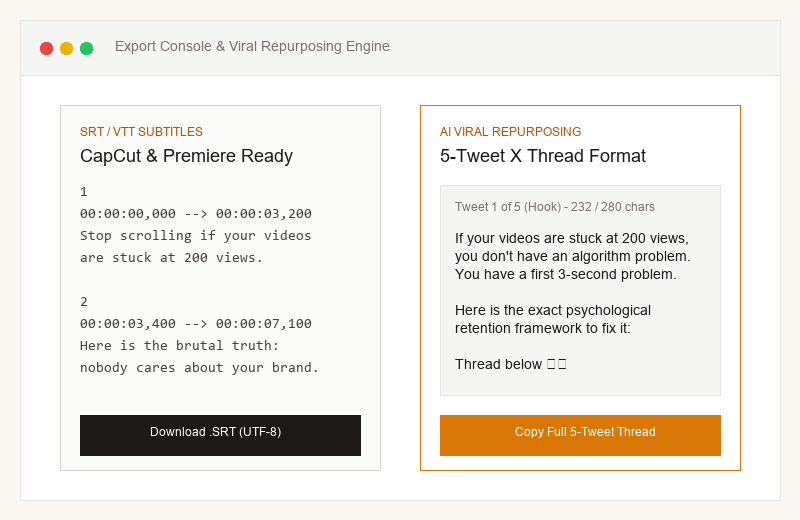
3. Export Subtitles & Summary
Export SRT or VTT subtitles and review the text and timing. AI-generated summaries are drafts to check before publishing.
Understand duration and credits
Successful videos are rounded up separately. This is not a processing-speed promise.
Direct Audio Stream Ingestion for TikTok Creators & Editors
Tired of downloading 100MB+ videos just to grab the audio or type out subtitles? SocialToText pulls the clean audio track straight from the stream, runs high-precision Whisper speech recognition, and generates timestamped SRT/VTT subtitles ready to drag into CapCut or Premiere Pro.
Direct Audio Rip (No Watermarks)
Pulls the clean audio track directly from the stream. No downloading heavy 1080p video files, no watermark headaches, and no format conversion.
3-Second Opening Hook Analysis
Scores the first sentence on audience retention potential and breaks down why it stops the scroll—or where viewers might drop off.
CapCut & Premiere Ready (.SRT / .VTT)
Exports standard subtitle files with millisecond timecodes. Drop them straight onto your editor's timeline and captions snap into place.
Officially Supported & Tested Features
- ✓Standard TikTok video links (tiktok.com/@user/video/id)
- ✓Official short links (vm.tiktok.com, vt.tiktok.com)
- ✓Multi-speaker dialogues, background music, and fast colloquial slang
- ✓Over 100 global languages and spoken dialects
Platform Scope & Boundary Limitations
- •Private TikTok accounts and friends-only videos cannot be resolved.
- •Live streams in progress are not supported (VOD clips only).
- •Videos with zero spoken vocals will return an empty transcript notification.
How to Repurpose TikTok Videos into Multi-Platform Content
A proven workflow used by content creators and video editors to multiply reach
Seamless Integration with CapCut, Premiere Pro & DaVinci
Drag and drop your exported .SRT or .VTT file onto your editing timeline for instantaneous magnetic caption snapping.
CapCut (Desktop & Mobile)
Official step-by-step timeline integration workflowDownload the millisecond-accurate .SRT file from SocialToText Studio.
Open CapCut, click 'Text' > 'Local Captions' > 'Import'.
Drag the imported subtitle file directly onto your video timeline track.
Apply trending text presets, animations, or karaoke effects with one click.
Know what the service includes
No unverified accuracy, speed or competitor benchmarks.
| Feature | SocialToText | What to expect |
|---|---|---|
| Video links | Public videos from the five listed platforms | Subject to platform restrictions and resolver availability |
| Transcription | Text and segment timestamps | Review accents, noise, names and technical terms |
| Exports | TXT, SRT and VTT | Check wording and subtitle timing before editing |
| Summaries & drafts | Configured AI model with a labelled local fallback | Fact-check before publishing; no performance guarantee |
| Credit packs | Pay as needed, no automatic renewal | Successful audio jobs are rounded up to whole minutes |
Export Industry-Standard Formats Without Re-Encoding
Whether you are importing timecodes into video editing software or archiving transcripts into your Notion second brain, we generate clean, valid syntax.
1
00:00:00,000 --> 00:00:03,200
Stop scrolling if your videos are constantly stuck at 200 views.

2
00:00:03,400 --> 00:00:07,100
The plain reality: viewers only care about whether you can solve their problem.

3
00:00:07,300 --> 00:00:12,000
If you do not state the problem clearly in the first two seconds...
Explore Dedicated Transcribers for Other Platforms
SocialToText provides specialized ingestion engines tailored to each major social network.
 X
X (Twitter) Video Transcript
Founder talks, Spaces recordings, and 5-tweet summary threads.
 Facebook
 Reel Transcript
Accurate SRT captions for muted autoplay and video editing.
 Twitch
 Clip Transcript
Isolates voice from game audio for short-form highlight captions.
 Pinterest
 Video Transcript
Extract spoken recipe and craft steps into clean Markdown notes.
Frequently Asked Questions About TikTok Transcripts
Q:How do I extract text transcripts from a TikTok video?
Copy a public TikTok video link you are authorized to process and paste it into the input field. Processing time depends on audio length, source availability and server load; a fixed response time is not guaranteed.
Q:Can I download TikTok subtitles directly into CapCut?
Export an SRT file and import it into a compatible editor. Review the transcript and subtitle timing before use; import steps vary between editor versions.
Q:Does SocialToText store or keep a copy of the TikTok video?
Our private worker uses temporary media files and removes them after processing. Failures can delay cleanup. External media and model providers apply their own data policies; see our privacy page.